
Who this is for
If you are looking for a tool to manage your daily tasks, you are probably trying to choose between Things 3 and Todoist. This is a choice between a beautifully polished, local-first Apple application with a single purchase price, and a cross-platform subscription powerhouse built for active integrations and collaboration.
Setup that takes longer than the actual work it organizes is a failure. We are looking at which tool gets out of your way fastest, what they actually cost, and which visual workflow matches your brain.
At a glance
| Option A: Things 3 | Option B: Todoist | |
|---|---|---|
| Best for | Apple-only solo task ritual | Cross-platform automation & collaboration |
| Platform support | macOS, iOS, iPadOS, watchOS | Mac, Windows, Linux, Android, iOS, Web |
| Price model | One-time purchases per device | Subscription (free tier available but limited) |
| Killer feature | Clean keyboard-focused layout, calm design | Natural-language parsing, web API, shared lists |
| Dealbreaker | No Windows/Android app, no collaboration | Recurring subscription fee, web-wrapper interface |
Option A: Things 3
Things 3, built by Cultured Code, is a native Apple application famous for its clean design and responsive interactions. It is designed to feel like a calm sheet of paper rather than a loud database checklist.
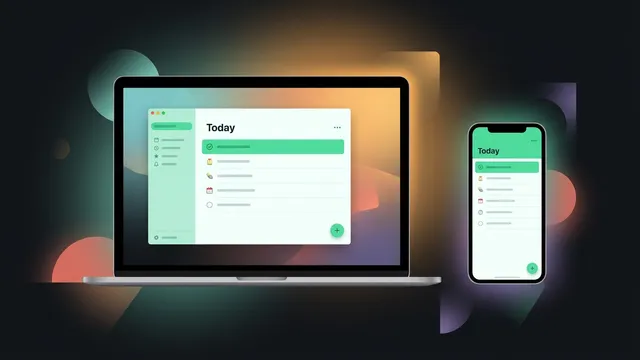
Its strongest feature is the visual layout. It groups tasks into Today, Upcoming, and Anytime lists, using clean circle checkmarks and drag-and-drop ordering that makes daily planning feel like a satisfying ritual. Because it uses a local-first SQLite database, it synchronizes instantly across Apple devices and works fully offline. It also uses a one-time purchase model (paying separately for Mac, iPad, and iPhone apps) instead of a recurring subscription fee.
The dealbreaker is platform lock-in. If you use a Windows PC at work or carry an Android phone, Things is unusable. It also lacks shared projects, making it a poor fit if you need to collaborate on lists with a partner or team.
Option B: Todoist
Todoist, built by Doist, is a cross-platform task manager that runs on almost every operating system and web browser. It is built for raw input speed and automated workflows.
Its killer feature is natural-language parsing. You can type “Review draft every Friday at 2pm #Work” and Todoist immediately creates a recurring task, schedules it, and assigns it to your Work project. It also features a web API that integrates with Slack, email clients, and automation tools like n8n. If you want your tasks automated or need to share project lists with others, Todoist is the clear industry standard.
The compromise is the billing shape and web-app feel. The free tier limits your projects, meaning most users will need the Premium subscription, which is a recurring cost. Because it is a web-centric application, the desktop client feels like a wrapped website rather than a fast native app.
Verdict by scenario
- Choose Things 3 if you are Apple-only and want a calm visual workspace. If you do not need collaboration, hate recurring subscriptions, and want native speed, Things 3 is a gorgeous one-time purchase.
- Choose Todoist if you work across platforms or need integrations. If you collaborate on tasks with others, use Windows or Android alongside macOS, or rely on email-to-task integrations, Todoist is worth the monthly subscription.
Bottom line
Things 3 is a polished single purchase that provides a quiet desk canvas, but it lacks shared lists and locks you into Apple hardware. Todoist is a flexible database engine that syncs everywhere but requires a subscription. For solo users on Mac and iOS who want native speed, Things 3 is the superior tool.